
Azure Firewall : From Incremental Updates to Atomic Policy Deployment
Azure Firewall’s Draft & Deploy feature was in preview for quite a while, but it finally went General Availability in March 2026.
What is Azure Firewall Draft + Deploy, and why should you care?
From a price-performance perspective, Azure Firewall can be considered a very capable product. However, when it comes to managing firewall rules especially performing bulk changes via the Azure Portal it has been quite challenging.
If you’ve ever tried to make bulk changes through the Azure Portal, you know what I mean. The problem was simple: every rule change had to be applied one by one. You’d change something, wait for it to finish, then move to the next. Incremental updates. Super slow, and honestly risky if you had a lot of changes to make.
What changed with Azure Firewall Draft & Deploy?
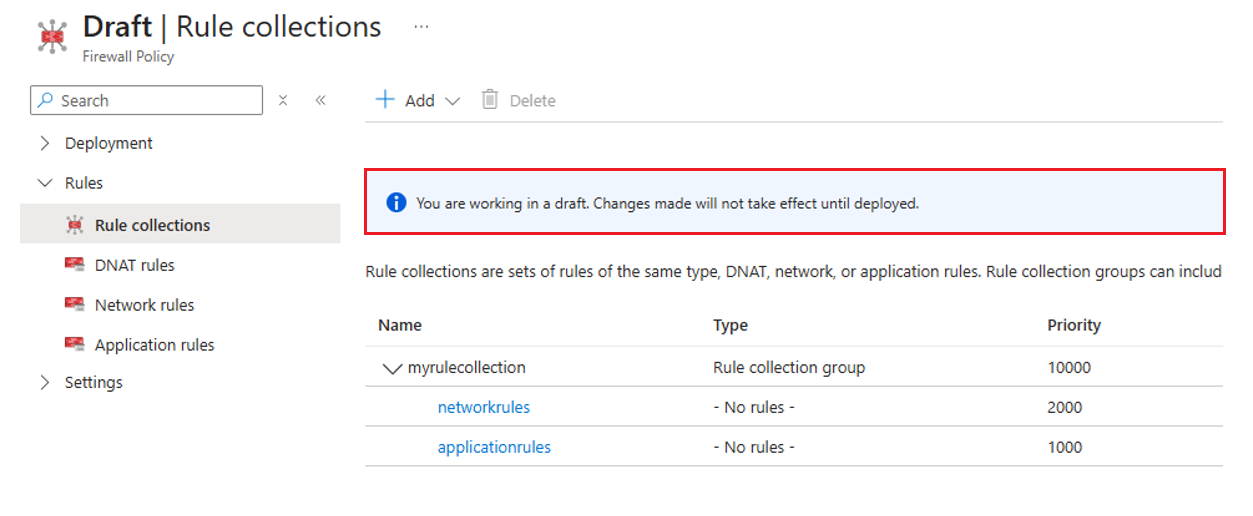
Draft + Deploy fixes this by giving you a proper workflow. Instead of pushing changes live immediately, you now work in a draft first. Think of it as a sandbox where you can add all your rule changes - add new ones, update existing ones, whatever you need to do.
The draft starts from a snapshot of your current Firewall Policy, And here’s the useful part multiple teams can collaborate on the same draft at the same time. Your network team adds some rules, security team reviews them, all in parallel.
Nothing touches production until you explicitly hit publish. The draft is completely isolated, so you can break things, fix them, change your mind, no stress 😊 Once everyone’s happy, you publish everything in one go.
How to create a Draft?
To create a draft, follow these steps: Firewall Policy → Draft + Deploy → Draft
Using this path, you can create a draft based on the current policy and start making your changes in an isolated environment.
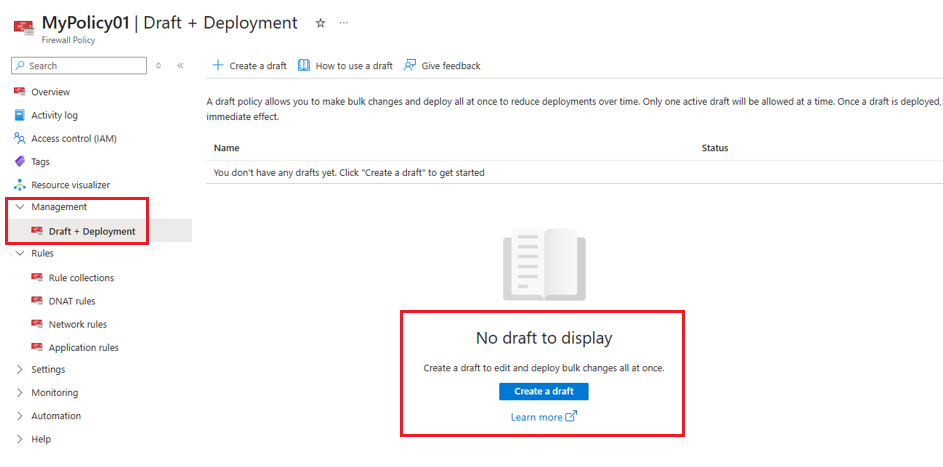
Heads up: After a draft is created, any direct changes made to the production policy will be overwritten during deployment. This means that if someone modifies live rules while you are working on the draft, those changes will be lost without notice.
After the draft is created, you can make any changes you need on it.
Deployment Process
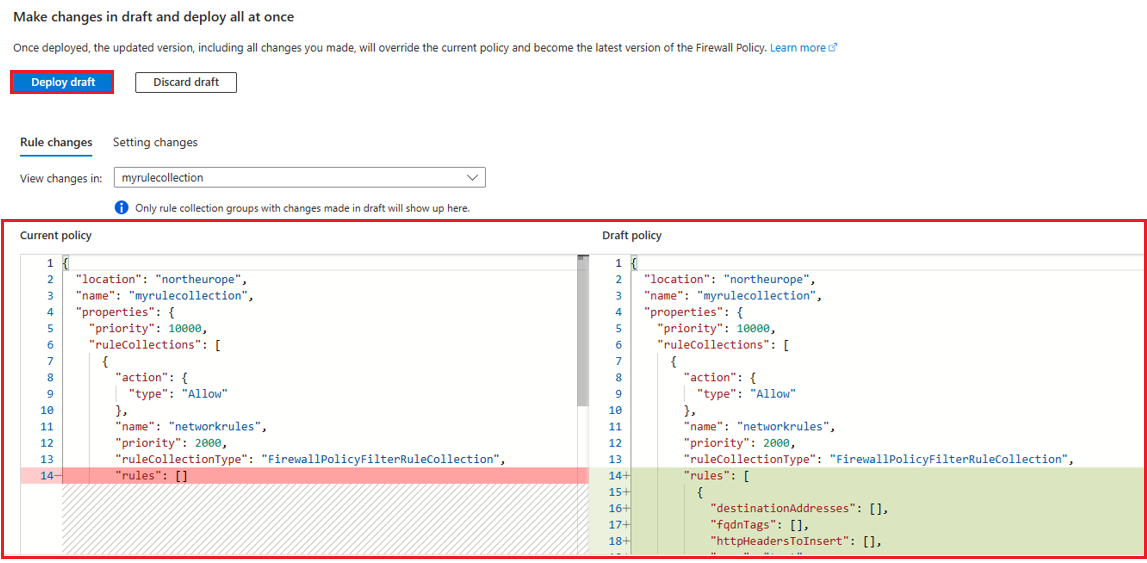
After completing all the required changes on the draft, you can review the newly added or modified rules, identify potential misconfigurations in advance, and reduce the risk of service interruptions. Once the deploy action is triggered, the existing policy is updated in a single operation using the content of the draft you prepared and reviewed.
Comments